

Latest Version
davi orzechowski
Security
Mac
Free
568149100
Report a Problem
More About iSenhas - Password Manager
A Mature, Intelligent Approach to Password Management
Finding a credential organizer that balances absolute security with effortless usability is no small feat. Developed by Davi Orzechowski, iSenhas - Password Manager has spent over a decade refining its approach to digital security on the Mac platform. Originally launched in 2012 and recognized as an Apple Entrepreneur Camp alumnus, this application has transitioned from a simple utility into a sophisticated, zero-knowledge security hub designed for modern macOS environments.
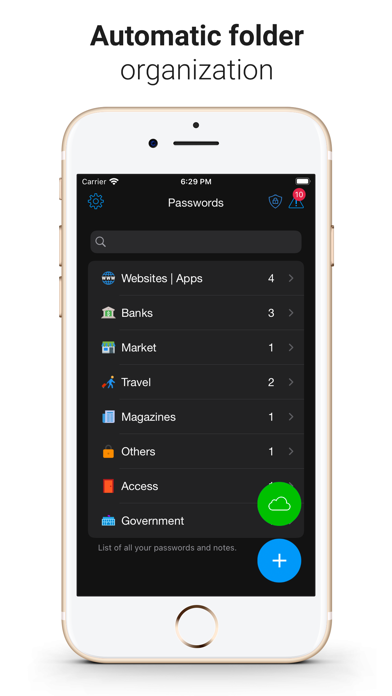
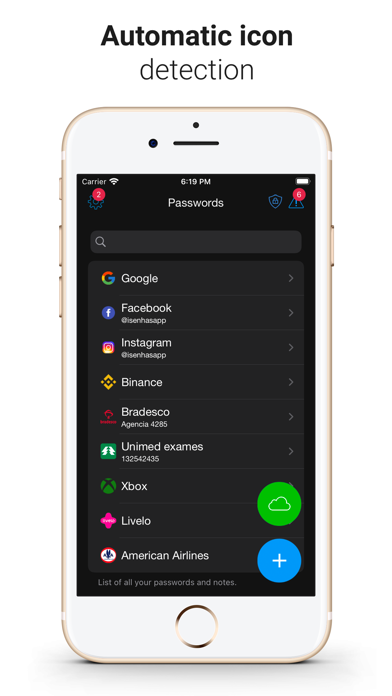
What sets this tool apart immediately is its emphasis on intelligent organization. Instead of forcing users to manually categorize dozens of accounts, the app uses a proprietary Smart Folder algorithm and automatic icon detection to sort your credentials instantly. It is a highly polished, desktop-first experience that respects both your time and your system resources.
Key Features of the iSenhas - Password Manager
- Zero-Knowledge Architecture: Security is reinforced with robust AES-256 GCM encryption, offering a zero-knowledge setup so that only you hold the keys to your vault.
- Open-Source Transparency: To foster trust, parts of the source code are publicly hosted on GitHub, allowing independent security researchers to audit and verify its integrity.
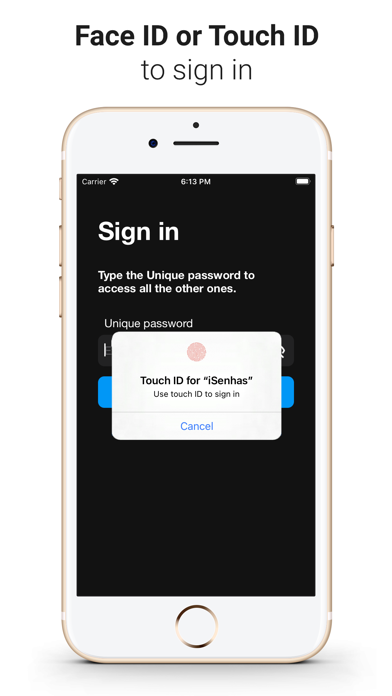
- Biometric Integration: Access your secure vault instantly using native Mac hardware features like Touch ID.
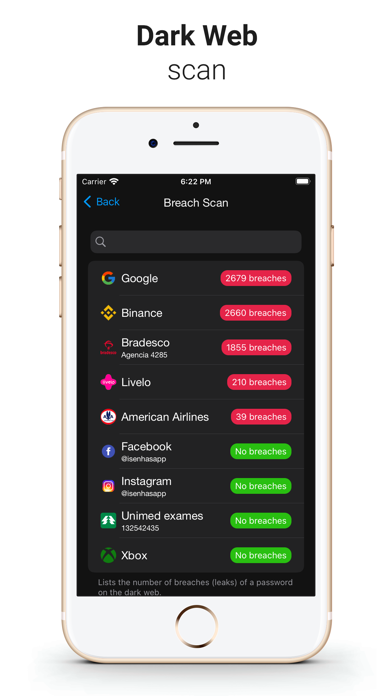
- Proactive Security Audits: The built-in vulnerability scanner checks password strength and cross-references your credentials with dark web leak databases.
- Passkey & 2FA Support: Beyond traditional passwords, you can store modern Passkeys, secure notes, document details, and two-factor authentication (2FA) codes.
- Smart Organization: Text recognition automatically assigns brand icons to your entries, while smart algorithms group your data logically.
Who Is This Security Tool For?
The iSenhas - Password Manager is particularly suited for Mac users who demand local-first performance combined with modern cloud convenience. Whether you are migrating from legacy platforms like 1Password or LastPass—which can be done easily via the built-in import wizard—or looking for a secure way to store sensitive instant transfer codes like Pix or FedNow, this tool adapts seamlessly to both personal and professional workflows.
Our Editorial Verdict
With its deep integration into the macOS ecosystem, open-source transparency, and smart automation features, iSenhas - Password Manager stands out as a highly reliable, premium utility. It successfully removes the friction from credential management without compromising on cryptographic standards. To experience this streamlined security workflow for yourself, visit the official Apple App Store to download the application on your Mac.
Rate the App
User Reviews

Popular Apps










Editor's Choice